The Windows 10 Endgame: Third-Party Application Risk in the ESU Window

3 pages

The Windows 10 Endgame: Third-Party Application Risk in the ESU Window

What the paper covers

Rather than restating Microsoft's lifecycle dates, this paper works through the operational consequences: the per-device cost curve from Year 1 to Year 3; who realistically stays on Windows 10 and why — hardware ineligibility, unvalidated line-of-business software, attached equipment, procurement timing; and the three compounding effects that make a residual estate deteriorate quietly, as vendors drop Windows 10 from their supported-platform matrices, tooling gets rebuilt around the migrated population, and devices labelled “being replaced” stop generating priority. It closes with a four-label disposition framework — Migrate, Replace, ESU bridge, Isolate — with the application-patching requirement, named owner and dated exit plan each label implies.
FAQ

Common questions

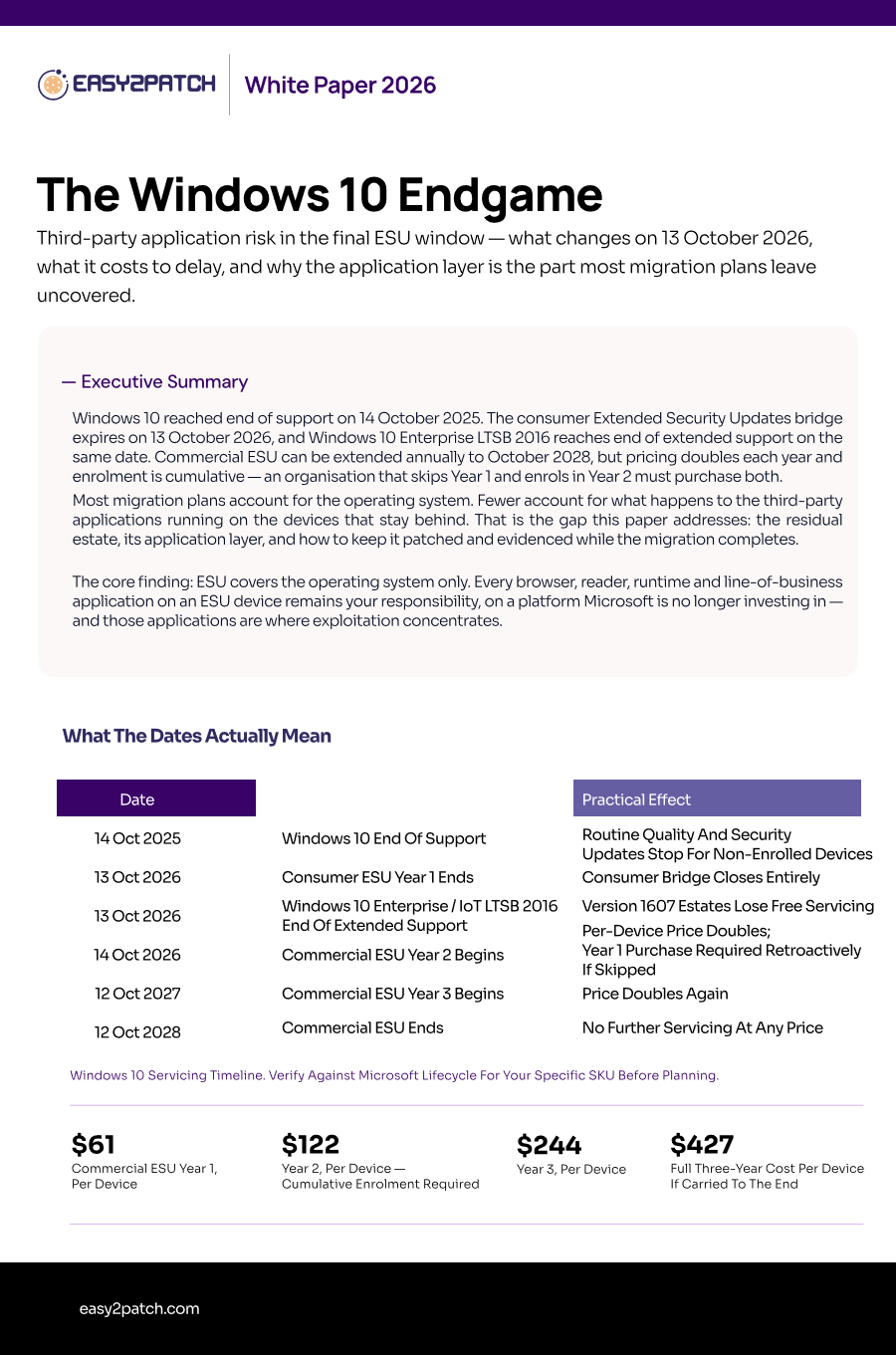
Consumer Extended Security Updates for Windows 10 end on 13 October 2026. Windows 10 Enterprise LTSB 2016 and Windows 10 IoT Enterprise LTSB 2016 reach end of extended support on the same date. Commercial ESU can be renewed annually through to 12 October 2028.

Commercial ESU is priced per device with annual coverage periods: approximately $61 per device for Year 1, $122 for Year 2 and $244 for Year 3. Licences are cumulative — an organisation enrolling in Year 2 must also purchase Year 1 retroactively.

No. ESU provides critical and important security updates for the Windows operating system only. Browsers, PDF readers, runtimes, conferencing clients and line-of-business applications on an ESU device continue to require their own patching through your normal deployment process.

Application vendors progressively drop Windows 10 from supported platform matrices, at which point security updates for those applications stop existing for that platform. Track supported-platform statements per application; once support ends, the application moves from a patching problem to a compensating-control problem.

Keep them inside the same patching process as the migrated estate rather than running a separate manual pass. Where the residual estate is managed through Configuration Manager or WSUS while migrated devices move to Intune, use a publisher that reaches all three targets so one process and one compliance report cover both populations.

Not automatically. Under frameworks such as NIS2, measures must be appropriate and proportionate and must be demonstrable. Running bridged or unsupported systems without documented risk acceptance, compensating controls, named owners and a dated exit plan is what creates the finding.