
No. Easy2Patch is agentless. It works through the Intune, ConfigMgr or WSUS infrastructure already on your endpoints, so there's no separate agent to deploy, patch, or monitor.
One console for third-party
patching,
inside the Microsoft stack you already run
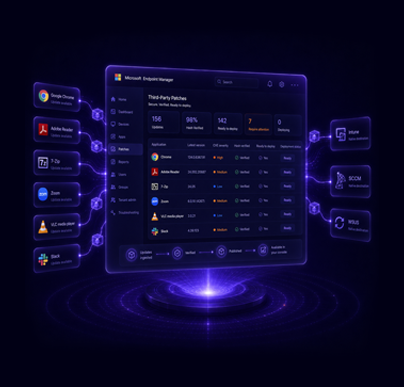
Easy2Patch publishes third-party updates straight into Intune, SCCM and WSUS — prioritised by CVE severity, hash-verified from the vendor's source, and deployed agentlessly through the tools you already run.
Works with your existing Intune / SCCM / WSUS · Agentless · No separate infrastructure

Native
Intune + SCCM


750+
Third-party apps




Easy2Patch vs. leading patch management tools
How Easy2Patch compares with PatchMyPC, Ivanti Neurons, ManageEngine, Action1, Automox and PDQ on the things that decide a rollout.
| Capability | Easy2Patch | PatchMyPC | Ivanti Neurons | ManageEngine | Action1 | Automox | PDQ |
|---|---|---|---|---|---|---|---|
| Architecture | Agentless — uses your MS agents | Agentless, MS-native | Agent or agentless | Agent, standalone | Agent, cloud | Agent, cloud | Agentless / agent |
| Intune integration | Native | Native | Native | Add-on | Complements | Standalone | No |
| SCCM / ConfigMgr integration | Native | Native | Yes | Add-on | No | No | No |
| Third-party patching focus | Core | Primary | Both | Both | Both | Both | Both |
| OS coverage | Windows | Windows, macOS | Windows | Win / macOS / Linux | Win / macOS / Linux | Win / macOS / Linux | Windows, macOS |
| App catalog size | 750+ | 2,000+ | 800+ | 1,100+ | Hundreds | 630 | 500+ |
| Vulnerability management / CVE | CVE-based | Yes | Yes (VRR) | Yes | Yes | Yes | Add-on |
Built to disappear into the tools you already trust
Publish third-party updates into Intune & SCCM
Easy2Patch isn't another platform to run alongside Microsoft's — it extends the one you have, packaging and publishing third-party updates directly into Intune and SCCM.



Nothing extra to deploy
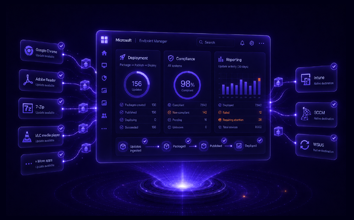
Easy2Patch works through the Intune, ConfigMgr or WSUS infrastructure you already run. No agents on endpoints, no parallel console — and no new attack surface to justify to security.

Your console stays your console
Third-party apps are packaged and published directly into Intune, SCCM and WSUS. Updates flow through your existing deployment, compliance and reporting — no separate dashboard to check.

Prioritised by CVE severity
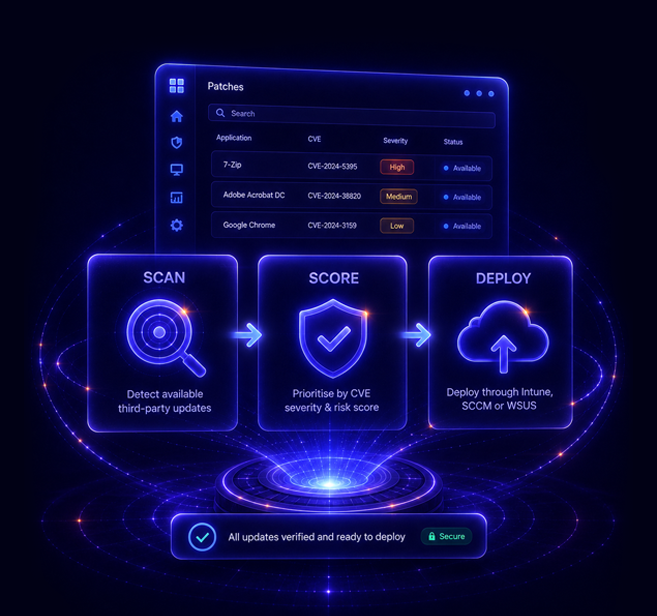
Easy2Patch can automatically deploy updates based on CVE severity, so the most dangerous vulnerabilities are closed without delay instead of getting lost in a flat patch list.

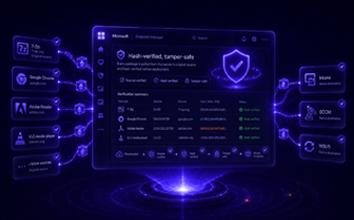
Hash-verified, tamper-safe
Every package is pulled from the vendor's original source and hash-verified before deployment, so only authentic, untampered updates ever reach your estate.

750+ apps, always current
A catalog of 750+ third-party applications kept up to date automatically, on a weekly release cadence — and you can add your own in-house apps to the same pipeline.
Detect. Decide. Deploy. Automatically.
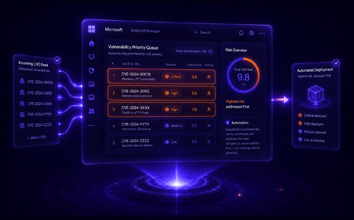
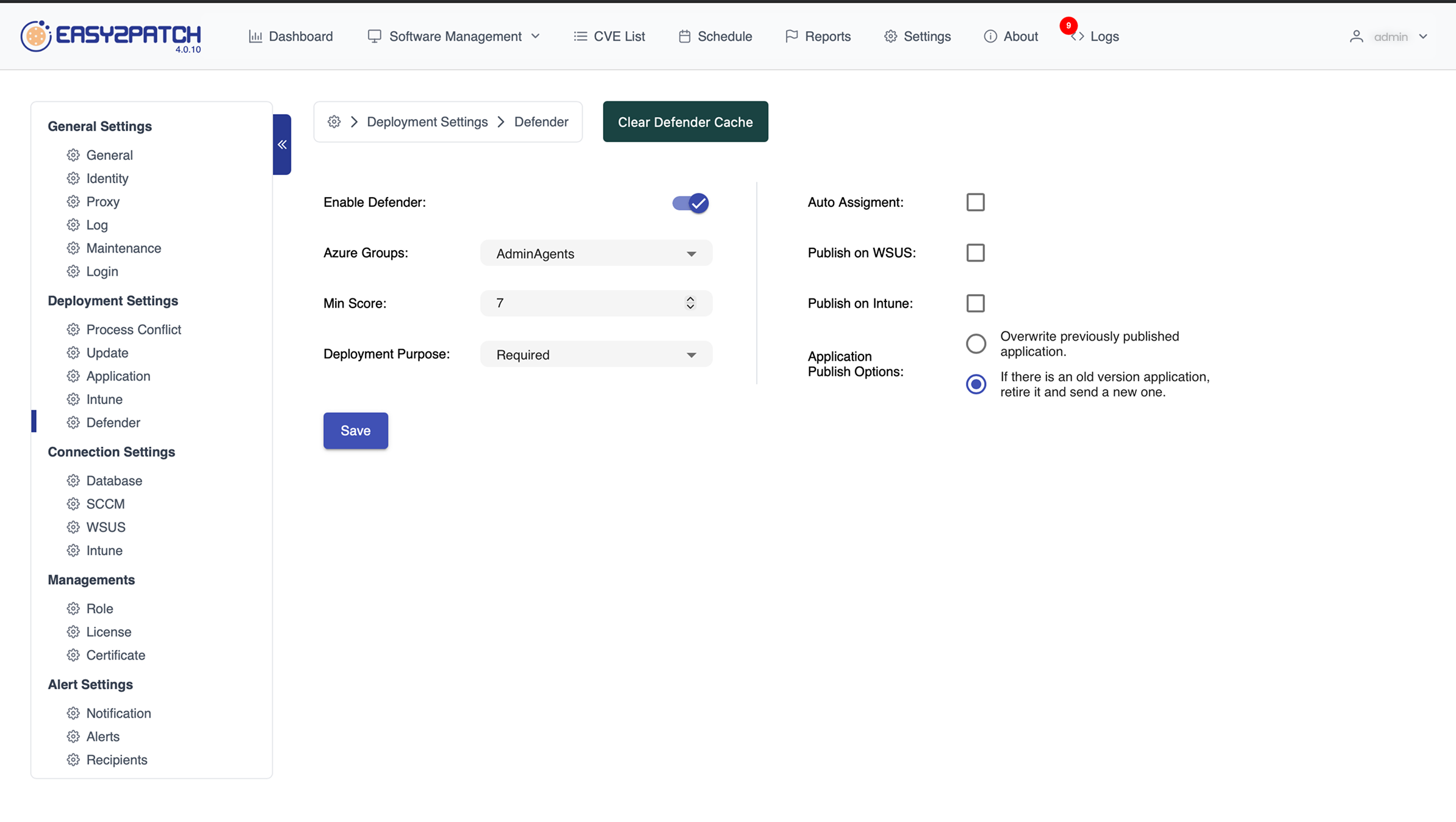
Easy2Patch seamlessly integrates with Microsoft Defender Vulnerability Management to transform security insights into automated action. When Defender identifies a vulnerability exceeding your defined CVSS threshold, Easy2Patch automatically deploys the required third-party patch to affected devices—even if the update wasn't previously selected by an administrator. This reduces exposure time, accelerates remediation, and ensures critical vulnerabilities are addressed before they can be exploited.
Keep 750+ third-party apps up to date

A ready-made catalog of 750+ third-party applications — Chrome, Zoom, Adobe Reader, Java, 7-Zip and more — packaged and published straight into Intune, SCCM and WSUS, with new versions added every week.





Frequently Asked Questions
Still can’t find the answer here? Reach out to our team at [email protected] and we’ll be happy to help.
-
Does Easy2Patch require an agent?
-
How is this different from a standalone patch platform?
Standalone platforms run their own console and agent. Easy2Patch instead publishes third-party updates directly into Intune, SCCM and WSUS, so your existing deployment, policies and reporting handle them just like Microsoft updates — no rip-and-replace.
-
How often does Easy2Patch scan and deploy?
You schedule it. Catalog syncs, updates and app distribution run on a Daily, Weekly, Monthly or custom schedule you define, so patching lines up with your own maintenance windows instead of a fixed cadence.
-
How do you make sure a patch hasn't been tampered with?
Every package is pulled from the vendor's original source and hash-verified before deployment, and packages are code-signed — keeping tampered or malicious files out of the deployment pipeline.
-
How is the application catalog kept current?
Easy2Patch maintains a catalog of 750+ third-party applications on a weekly release cadence, and you can add your own in-house apps. Updates with high CVE severity are prioritised so they aren't left unconfigured.
-
Does Easy2Patch cover macOS and Linux?
Easy2Patch focuses on Windows third-party patching through Intune, SCCM and WSUS. If your estate is Windows managed by Microsoft tooling, that focus is a strength.
-
Which Microsoft tools does it integrate with?
Microsoft Intune, Configuration Manager (SCCM) and WSUS. Easy2Patch packages and publishes third-party apps straight into whichever of these you already run.
-
How can I try Easy2Patch?
Start a fully functional 30-day Premium Trial, or book a live demo and we'll show third-party updates flowing into your existing Intune, SCCM or WSUS.
See third-party patches land in the console you already run
No separate platform. No second dashboard. Just CVE-prioritised, hash-verified third-party updates kept current across your Windows estate — managed from Intune, SCCM and WSUS.